| I | DATA SPESIFIKASI | |
| BRAND/ MANUFACTURER | PHILIPS | |
| FACTORY OF ORIGIN | NETHERLANDS | |
| Intended Use | ||
| The Philips IntelliSite Pathology Solution (PIPS) is an automated digital slide creation, viewing, and management system. The PIPS is intended for in | ||
| vitro diagnostic use as an aid to the pathologist to review and interpret digital images of surgical pathology slides prepared from formalin-fixed paraffin | ||
| embedded (FFPE) tissue. The PIPS is not intended for use with frozen section, cytology, or non-FFPE hematopathology specimens. | ||
| The PIPS comprises the Image Management System (IMS) and the Pathology Scanner SG60/SG300. The PIPS is for creation and viewing of digital | ||
| images of scanned glass slides that would otherwise be appropriate for manual visualization by conventional light microscopy. It is the responsibility of | ||
| a qualified pathologist to employ appropriate procedures and safeguards to assure the validity of the interpretation of images obtained using PIPS. | ||
| III | Technical specifications | |
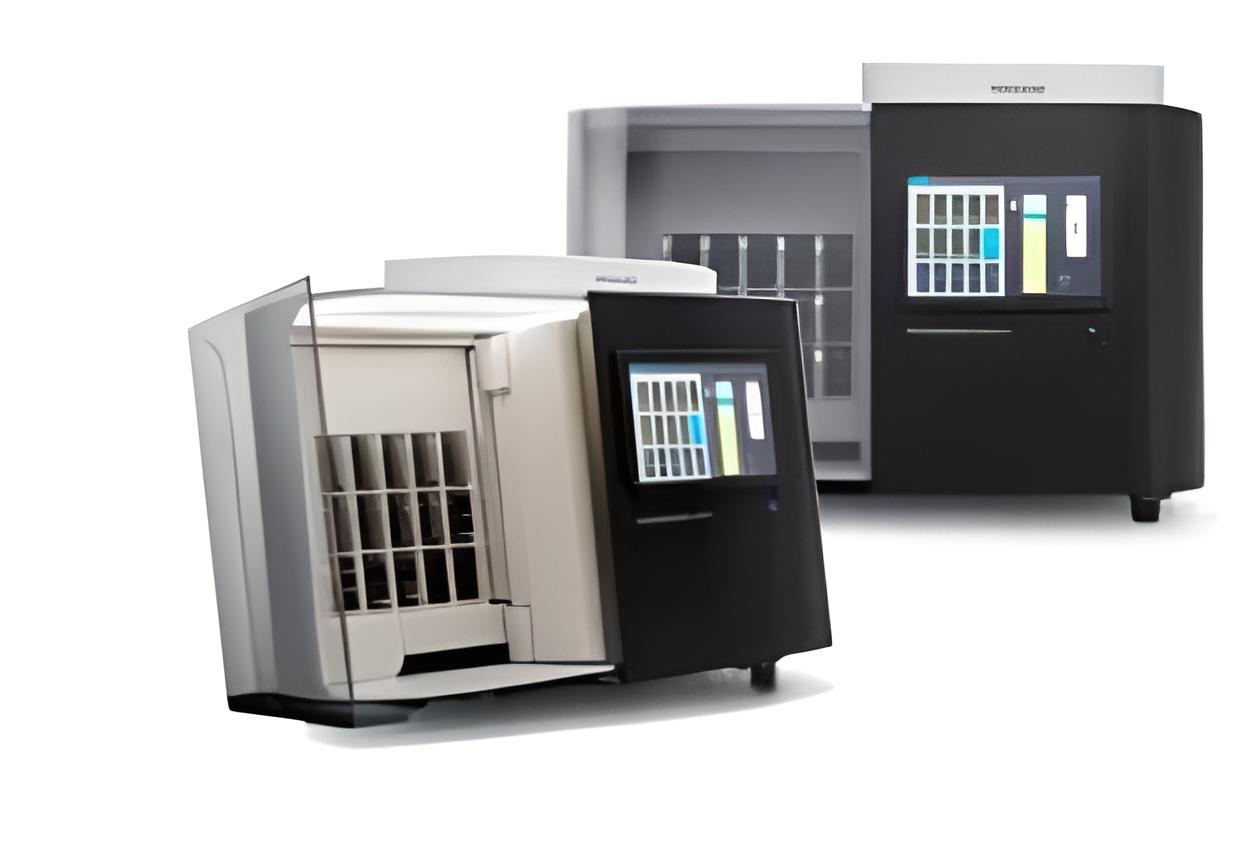
| 01 | PIPS Pathology Scanner SG300 | Yes |
| The SG300 is designed to for medium to large laboratories that are running a | ||
| traditional workflow with large batches of slides are processed for scanning at | ||
| a few occasions per day. Offering high image quality, full automation and a high | ||
| first time right rate, the SG300 enables high, clinical representative, throughput | ||
| through it’s scan speed, slide handling and tissue shape detection to non-rectangular | ||
| optimization of regions of interest (ROI). This results in very efficient | ||
| total cost of ownership per slide (TCO/slide) as overnight scanning enables high | ||
| utilization of the SG300. The total scan time of a slide (including handling and pre | ||
| scan with a 15×15 mm benchmark scan area) at a 40x resolution equivalent is ≤ 62 seconds. |
| This translates into real practice to a throughput time of 30 slides |
| per hour. |
| Furthermore, with its tissue shape detection, the scanner adapts the scan region |
| to the shape of the tissue. This results in reduced over-scanning resulting in |
| higher throughput. The automated calibration check per slide, ensures that every |
| slide is scanned by a calibrated system and calibration is only triggered when |
| truly necessary. The Pathology Scanner digitizes slides fully automatically with a |
| 99.5 % first pass rate*, providing a workflow that is robust and reliable. |
| The SG scanner series also offer remote monitoring of the scanner status, |
| allowing operators to monitor the scanner status from a remote PC. |
| The Pathology Scanner’s remote service capability, provides faster service |
| and support responses that result in shorter down-times, and faster roll out of |
| software updates and reduced service costs. |
| Slide capacity: 300 |
| Scanning method: TDI line scanning |
| Focus method: Autofocus |
| Output format: iSyntax Philips proprietary file format with either RAW or iSyntax compression |
| Slide rack: Winlab LS-20/ Winlab LSM-20, Sakura 4768 20-slide basket (max. number of slides |
| 20) |
| Operating temperature: 10 to 35°C |
| Dimensions (LxWxH in mm) doors closed: 680x950x675 |
| Scan time (excluding handling and prescan) per slide: SG300 ≤ 62 seconds at 40x equivalent |
| (15x15mm scan area) |
| Total scan time (including handling and pre-scan) per slide: SG60 ≤ 62 seconds at 40x |
| equivalent (15x15mm scan area) |
| Average percentage of tissue detected and scanned: ≥ 99.5% |
| Power supply: 100-240 V AC, 50/60 Hz, 700 Watt |
| Magnification objective: NA of 0.75 plan Apo |
| Pixel size/ resolution: 0.25 μm/ pixel |
| Compliance to standards: EN IEC 61010-1:2010 /A1:2016, EN IEC 61010-2-101:2018, EN IEC |
| 61326-1:2013 FCC Part 15, The IEC 61326-2-6 (IVD), IEC 61326-1:2012 IEC 61326-2-6:2012 |
| Barcode support: |
| 1D code type: Code 39 with mod 43 checksum (ISO/IEC 16388:2007) |
| Code 128 (ISO/IEC 15417:2007) 2D code type: Data Matrix ECC 200 – Code 39, Code 128 (ISO/IEC16022:2006) Recommended barcode type for all glass slides. Relative humidity (no condensation): Between 50% at 40 °C and 80% at 31 °C Weight (kg): 150 SG connectivity ports: Ethernet cable for 10GB (required CAT 6 Cable) / and 1GB/s network cable with RJ45 connector (preferable CAT 6) |
|||
| 02 | Scanner Table (1x) | Yes | |
| The Scanner table is designed for our scanner and providing a stable platform for the scanner. | |||
| 03 | Image Management System (IMS) License (1x) | Yes | |
| The Image Management System (IMS) is a case viewing & management software ‘designed for | |||
| pathologists with pathologists’ to get pathologist through cases as fast as possible. The IMS is | |||
| part of the Philips IntelliSite Pathology Solution. It provides easy access to information and | |||
| resources, thereby enabling better-informed decisions. | |||
| The IMS is pathologist’s gateway to review and analyze digitized images. Comprehensive and | |||
| flexible workflow tools for routine diagnosis give pathologist an advantage over traditional | |||
| methods of case organization. | |||
| The IMS offers pathologists the tools to manage their digital pathology workload, connecting | |||
| them with colleagues anywhere in the world for instant consults, teaching, and knowledge | |||
| sharing | |||
| • | Real-time collaboration tools that include remote desktop control, rapid notification, and | ||
| instant chat | |||
| • | Quick manipulate images for review, assessment, collaboration, and reporting | ||
| • | Speed pathologists’ workflow by tagging, setting, and assigning cases via a comprehensive | ||
| user worklist | |||
| Collaboration | |||
| • | Single unified case list over multiple locations | ||
| • | Simple and secure case sharing with a single-click invite | ||
| • | Interactive collaboration with measurement/annotation. Review cases quickly using fast | ||
| slide-to-slide transitions, rapid zoom, and clickless panning | |||
| • Send a link to pathologist’s colleagues – Let them assess the case at their convenience with single click access to a shared session directly from the image viewer Workflow management Organize, access, review, manage, and present pathologist’s cases with ease. Role-based, user- specific case lists along with related patient data and notes. • Image alignment automatically aligns multiple serial tissue sections for synchronized panning and zooming • Tissue detection automatically suggests bookmarked sections for single click navigation Smart Navigation via a combination of intuitive workflow oriented shortcut keys and novel clickless panning for comfortable navigation of images |
||||
| 04 | Integration – Barcode (1x) | Yes | ||
| Synchronizes cases/slides data between IMS and data/Information available in Barcode on | ||||
| slides – prerequisite: dependent on Slide Barcode info/data | ||||
| 05 | Project Management & Implementation (per project) | Yes | ||
| • | Project Management | |||
| • | Installation | |||
| • | Super User Training | |||
| • | System Integration Testing and User Acceptance Testing | |||
| • | Go Live Support | |||
| • | 3 years warranty hardware and software support | |||
| 06 | Server + Storage Hardware with min 14TB (1x) | Yes | ||
| Entry level platform for running IMS and connecting max 1 UFS scanner | ||||
| Includes, | ||||
| 1x Server | ||||
| • | Storage minimum 480GB local SSD storage 14TB capacity | |||
| • | Processor minimum 8 Core | |||
| • | Memory minimum 32GB | |||
| 1x Client Workstation | ||||
| • | Minimum Core i.5 | |||
| • | Minimum 16 GB RAM | |||
| • | Storage minimum 256GB | |||
| • | Windows 10 | |||


